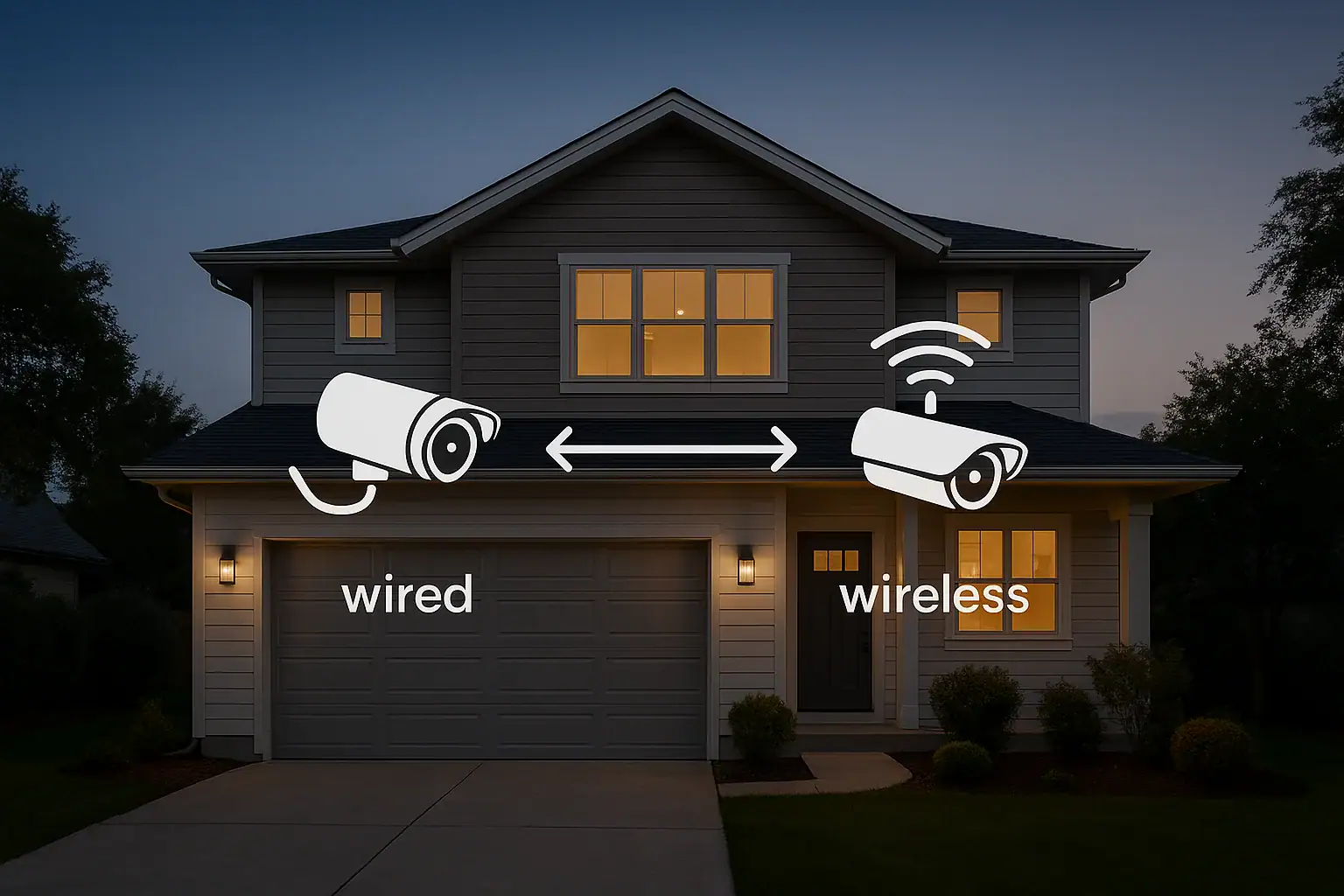
Choosing between wired and wireless security cameras can feel overwhelming when you are trying to protect your home and family. Both options promise clear video, smart alerts, and peace of mind, but they work very differently behind the scenes. The right choice depends on how your home is built, how comfortable you are with DIY projects, your budget, and how much you value long-term reliability over convenience. This guide walks through the key differences in reliability, installation, and costs so you can make a confident decision for your home.
On this page(click to collapse)
- Wired vs Wireless Security Cameras: Quick Overview
- Reliability: Which Type of Camera Is More Dependable?
- Installation: Which Is Easier to Set Up?
- Costs: Upfront and Long-Term Expenses Compared
- Security and Vulnerability Considerations
- Video Quality, Features, and Flexibility
- Which Is Better for Your Home: Wired or Wireless?
- Practical Steps to Decide and Get Started
- Related guides
Below, you will find a side-by-side comparison of wired vs wireless security cameras, including how they connect, how they perform during power or internet outages, and what you can expect to pay over time. By the end, you will know which type of system better fits your home, lifestyle, and long-term safety goals.
Wired vs Wireless Security Cameras: Quick Overview
Before diving into details, it helps to understand what “wired” and “wireless” actually mean in the context of home security cameras.
What is a wired security camera system?
A wired security camera system uses physical cables to connect each camera to a central recorder or hub. These cables usually carry both power and video data.
- Power source: Supplied through cables from a central location.
- Data connection: Video is sent through cables to a recorder or network device.
- Storage: Typically local, on a digital recorder or network storage device.
What is a wireless security camera system?
A wireless security camera system sends video over a wireless network instead of through data cables. Most still need power, either from a nearby outlet or a battery.
- Power source: Plug-in adapter or rechargeable battery.
- Data connection: Video is sent over Wi-Fi or another wireless signal.
- Storage: Often cloud-based, on a memory card, or on a local hub.
Reliability: Which Type of Camera Is More Dependable?
Reliability is one of the most important factors when comparing wired vs wireless security cameras. You want your system to work consistently, even when your internet is slow or the weather is bad.
Connection stability
Wired cameras are generally more stable because they use physical cables that are not affected by wireless interference.
- Less likely to drop the video signal.
- Not impacted by thick walls, distance from the router, or crowded Wi-Fi channels.
- Provide consistent video quality once installed correctly.
Wireless cameras depend on your home network.
- Signal can weaken through walls, floors, and long distances.
- Performance can drop if many devices share the same Wi-Fi.
- May experience buffering or temporary disconnections.
Power and uptime
Wired systems are usually powered from a central location. When paired with a backup power supply, they can keep recording during short power outages.
- Consistent power from the main electrical system.
- Can be supported by a battery backup or generator.
- Less risk of cameras shutting down unexpectedly.
Wireless cameras may be battery-powered or plugged into outlets.
- Battery models stop working when the battery is drained.
- Plug-in models shut off during outages unless connected to backup power.
- Need regular checks to ensure batteries are charged.
Dependence on the internet
Both wired and wireless cameras can be affected by internet issues, but in different ways.
- Wired cameras: Often record locally even if the internet goes out, but you may lose remote viewing until service returns.
- Wireless cameras: Many rely heavily on a working internet connection, especially if they store video in the cloud.
If your home has spotty internet, a wired system with local storage usually offers more dependable recording.
Installation: Which Is Easier to Set Up?
Installation is where wired vs wireless security cameras feel very different. One is more labor-intensive upfront, while the other focuses on convenience.
Installing wired security cameras
Wired cameras require running cables from each camera to a central location. This can be straightforward in some homes and challenging in others.
Typical steps include:
- Planning camera locations and cable routes.
- Drilling holes through walls or ceilings.
- Fishing cables through attics, crawl spaces, or conduits.
- Connecting cameras to a recorder or network device.
- Configuring the system for remote viewing.
Because of the physical work involved, many homeowners hire a professional installer, especially for multi-camera systems or multi-story homes.
Installing wireless security cameras
Wireless cameras are usually easier to install, especially for smaller homes or renters.
Typical steps include:
- Mounting each camera using screws or adhesive brackets.
- Connecting cameras to power (or inserting batteries).
- Using a mobile app or web interface to connect to Wi-Fi.
- Adjusting angles and motion detection settings.
Most people can install a few wireless cameras in an afternoon with basic tools. This makes them appealing for do-it-yourself setups and temporary living situations.
Best fit based on your home type
- New construction or major remodel: Easier to run cables while walls are open, making wired systems more attractive.
- Existing homes with finished walls: Wireless systems minimize drilling and patching.
- Renters and apartments: Wireless cameras are usually more practical and less invasive.
Costs: Upfront and Long-Term Expenses Compared
When comparing wired vs wireless security cameras, cost includes more than just the price of the cameras. You should also consider installation, storage, maintenance, and any ongoing fees.
Upfront equipment costs
Wired systems typically include multiple cameras and a central recorder.
- Camera kits can be cost-effective on a per-camera basis.
- Cables, connectors, and mounting hardware add to the initial cost.
- Upfront investment is higher, but you often get a complete system at once.
Wireless systems can be purchased one camera at a time or as a kit.
- Individual cameras may cost more per unit than wired ones.
- Some systems require a separate hub or base station.
- Easy to start small and expand gradually.
Installation costs
Wired camera installation can be a significant part of your budget if you hire a professional.
- Labor costs for running cables and mounting cameras.
- Possible additional materials, such as conduits or junction boxes.
- Costs increase with larger homes and more complex layouts.
Wireless camera installation is usually low-cost or free if you do it yourself.
- Most homeowners can handle basic mounting and setup.
- Professional installation is available but not always necessary.
Storage and subscription fees
How and where your video is stored affects long-term costs.
- Wired systems: Often use local storage on a recorder or network device. Once purchased, there may be no ongoing storage fees.
- Wireless systems: Frequently offer cloud storage plans with monthly or yearly fees for extended video history and advanced features.
Some wireless systems provide limited free storage, but many homeowners choose paid plans for longer retention or higher video quality.
Maintenance and replacement costs
Wired cameras tend to be low-maintenance once installed.
- Few moving parts and no batteries to replace.
- Cables and connectors can last many years if protected from damage.
Wireless cameras may require more ongoing attention.
- Battery-powered models need regular charging or battery replacement.
- Firmware updates and app changes may require occasional reconfiguration.
Over several years, subscription fees and battery replacements can make wireless systems more expensive than they appear at first glance.
Security and Vulnerability Considerations
Security cameras are meant to increase safety, but they can also introduce digital and physical vulnerabilities if not set up thoughtfully.
Physical tampering
Wired cameras have visible cables that could be cut if someone has physical access.
- Running cables through walls and conduits can reduce this risk.
- Placing the recorder in a secure, hidden location adds protection.
Wireless cameras avoid long data cables but still have power cables or batteries.
- Cameras should be mounted high and out of easy reach.
- Battery compartments should be secured when possible.
Digital security and privacy
Both wired and wireless systems can connect to the internet for remote access, which introduces digital security concerns.
- Use strong, unique passwords for camera accounts and home networks.
- Enable two-factor authentication when available.
- Keep firmware and apps updated to patch security vulnerabilities.
- Limit who has access to live feeds and stored footage.
Wireless cameras rely more heavily on your home network, so a secure router and Wi-Fi settings are especially important.
Video Quality, Features, and Flexibility
Both wired and wireless cameras can offer high-definition video and smart features, but there are some practical differences.
Video quality and bandwidth
Wired cameras can transmit high-quality video without worrying about Wi-Fi bandwidth limitations.
- Better suited for multiple cameras recording at high resolution.
- Less compression needed, which can improve clarity.
Wireless cameras share bandwidth with other devices on your network.
- Video quality may be reduced when the network is busy.
- Some systems automatically lower resolution to prevent buffering.
Smart features
Most modern cameras, wired or wireless, can include features such as:
- Motion detection and activity zones.
- Night vision for low-light recording.
- Two-way audio for speaking through the camera.
- Mobile alerts and remote viewing.
- Integration with other smart home devices.
Wireless systems often emphasize app-based control and quick updates, while wired systems may focus on robust recording and centralized monitoring.
Scalability and flexibility
Wired systems are ideal for long-term, large-scale setups.
- Well-suited for whole-house coverage and outdoor perimeters.
- Adding cameras may require running additional cables and ensuring the recorder supports more channels.
Wireless systems are more flexible and easier to adjust over time.
- Simple to move cameras to new locations as your needs change.
- Easy to add extra cameras, as long as your network can handle them.
Which Is Better for Your Home: Wired or Wireless?
There is no single answer that fits every home. Instead, consider your priorities and constraints when choosing between wired vs wireless security cameras.
Choose wired cameras if you:
- Want maximum reliability and consistent video quality.
- Plan to stay in your home for many years.
- Are comfortable with professional installation or major DIY projects.
- Prefer local video storage and fewer monthly fees.
- Need coverage for a large property or many camera locations.
Choose wireless cameras if you:
- Rent your home or expect to move in the near future.
- Prefer simple, quick installation with minimal drilling.
- Have a reliable home Wi-Fi network.
- Want the flexibility to move or add cameras easily.
- Are comfortable with potential subscription fees for cloud storage.
Consider a hybrid approach
Many homeowners find that a combination of wired and wireless cameras works best.
- Use wired cameras for key exterior areas where reliability is critical.
- Add wireless cameras indoors or in hard-to-wire locations.
- Mix local storage with cloud backups for extra peace of mind.
This hybrid strategy allows you to balance reliability, cost, and convenience while tailoring coverage to your home.
Practical Steps to Decide and Get Started
If you are still unsure which direction to go, walk through these simple steps.
- Map your home: Sketch key entry points, driveways, and interior areas you want to monitor.
- Check your Wi-Fi: Test signal strength near planned camera locations to see if wireless is realistic.
- Set a budget: Include equipment, possible installation, and any subscription fees.
- Decide on storage: Choose between local recording, cloud storage, or both.
- Start with priority areas: Install cameras at front and back doors, then expand as needed.
Taking a measured, step-by-step approach helps you avoid overspending while still improving your home security in meaningful ways.
Related posts
Browse this topic →
Smart Air Quality Alerts: How to Set Thresholds That Make Sense
How to Choose a Fire Extinguisher for the Kitchen (Classes Explained)
Emergency Kit for Apartments: Closet-Friendly Essentials for Small Spaces

Home Fire Escape Plan: Map, Meeting Point, and Practice Checklist
Childproofing the Smart Home: Settings and Physical Safety Tips
Garage Door Safety: Sensors, Remotes, and Common Failure Fixes
Keep reading
About this site
Signature Home Guide publishes practical, independent home guides. We aim to be clear, helpful, and transparent.
Affiliate disclosure
As an Amazon Associate, we earn from qualifying purchases. Some links on this site may be affiliate links. If you buy through these links, we may earn a small commission at no extra cost to you. This helps support our content. Learn more.