Quick answer: Wireless smoke detectors interconnect only when the exact models are documented as compatible. Their alarm-to-alarm radio link is separate from battery or AC power and from Wi-Fi or app features. Inventory each model, follow its manual’s pairing sequence, confirm any required bridge, and test from every alarm.
How wireless smoke detectors connect
“Wireless” can describe different features that should not be confused. A smoke alarm may be battery powered, connected to 120-volt AC power, linked to other alarms by a local radio signal, connected by an interconnect wire, or connected to an app or home-automation hub. Those are separate functions.
- Power: An alarm may use replaceable batteries, a sealed battery, or AC power with battery backup.
- Alarm interconnection: A wired conductor or local radio link can cause documented compatible alarms to sound together.
- App or internet connection: Wi-Fi or a hub may support setup, notifications, status, or monitoring. It does not, by itself, prove that alarms relay an alarm event to one another.
For example, First Alert distinguishes hub-connected Z-Wave alarms from products that interconnect with other alarms. Start with the manual and compatibility information for the exact model, not the presence of an app, a shared brand, or similar-looking hardware.
For general installation considerations, see Smoke Alarm Installation: Manual-First Steps for Homeowners.
Identify the wireless smoke detector family before pairing
Record the complete model number shown on every alarm, including any suffix. Also record its power type and, when available, the manual revision or manufacture date. Do not pair units based on their logo, shape, or a broad protocol label alone.
In each model’s documentation, look for terms such as wireless interconnect, RF interconnect, smart interconnect, wired interconnect, bridge, and compatible models. Manufacturer compatibility pages from Kidde and First Alert show why compatibility can vary within a single brand and product family.
Compare power, interconnection, and internet features
This table uses documented examples to show why these features must be checked separately. It is not a universal compatibility chart or a buying recommendation. Confirm the exact models in the applicable manual and manufacturer compatibility list before installation or pairing.
| Documented example | Power source | Interconnection method | Internet dependence | Documented compatibility | Test behavior |
|---|---|---|---|---|---|
| First Alert SC5 SMCO600NV | Replaceable batteries | Direct 802.15.4 wireless link | App and Wi-Fi are used for initial setup; compatible alarms communicate directly afterward, including during a Wi-Fi outage | SC5 models and documented wired or battery Nest Protect models through Google Home setup | Manual testing sends smoke and CO test patterns to compatible smart-interconnect alarms |
| First Alert SC5 SMCO600NV-AC | 120-volt AC with battery backup | SC5 wireless link plus wired interconnect | App and Wi-Fi are used for initial setup; the local alarm link continues without Wi-Fi | Exact First Alert or BRK models on the SC5 list, the SC5 battery model, and documented Nest Protect models | Compatible smart alarms relay smoke and CO tests; older interconnected smoke alarms may not respond to a CO event |
| Nest Protect, second generation | Battery or wired version | Local Weave/802.15.4 interconnection | Wi-Fi is not required for alarm-to-alarm operation but is needed for remote features | Wired and battery Nest Protect models; current documentation also identifies First Alert SC5 compatibility | Google directs users to run Safety Checkup; linked alarms may take several seconds to respond |
Sources for these examples are the First Alert SC5 documentation and Google Nest interconnect guidance. Treat a different model number, generation, or suffix as a new compatibility question.
Make a model-to-model compatibility decision
- Find explicit documentation. Look for each exact model in a manual, compatibility chart, or manufacturer statement covering that combination.
- Check mixed-power support. Battery and hardwired models can communicate only where the product documentation permits it. Power type alone does not establish compatibility.
- Identify a required bridge. Some systems use a particular AC-powered model to pass a documented signal between a wired group and a wireless group. Another alarm from the same brand may not perform that role.
- Check smoke and CO behavior separately. In a mixed system, verify whether each connected alarm is expected to respond to smoke, carbon monoxide, or both test patterns.
- Use the manual’s limits. Follow the applicable manual for permitted quantities, grouping, environmental conditions, and radio-location guidance. Do not assume an advertised open-air range will match a particular home.
Do not mix brands unless the manufacturers expressly document the exact combination. A narrow exception does not make other cross-brand combinations compatible. First Alert, for example, documents a specific SC5 and Nest Protect exception in its cross-brand compatibility guidance.
Manual-first commissioning checklist
- Inventory every alarm by complete model number and power source.
- Download the manual that matches each exact model.
- Create a simple list showing which models are documented to communicate with each other.
- Confirm whether setup requires an app, account, shared home or location, activation order, or designated bridge alarm.
- Follow the manufacturer’s activation, pairing, and mounting order. Pair before permanent mounting only when the manual directs it.
- Keep alarms within the manufacturer’s environmental and radio-location guidance.
- Run the manufacturer’s test from every alarm and confirm that every expected unit responds.
- For combination alarms, record smoke-test and CO-test results separately.
- Record the models, pairing group, bridge model if applicable, test date, initiating alarm, and responding alarms.
First Alert’s wireless interconnect pairing instructions call for testing from every installed location after pairing. A result from one initiating alarm does not replace the manufacturer-directed tests from the other alarms. For safe test-button precautions and a routine log, see How to Test a Smoke Alarm Safely.
Worked example: a documented wired-to-wireless bridge
Suppose a home has three existing hardwired smoke alarms and the owner wants to add two battery alarms without adding new interconnect wiring. A compatible arrangement is possible only if the exact existing models appear on the compatibility list for a specified AC-powered bridge model, and the proposed battery alarms belong to that bridge’s documented wireless family.
Under those conditions, the bridge may relay the documented alarm signal between the wired and wireless groups. The owner would still follow the manuals’ commissioning sequence and initiate a test at every alarm. They would also verify whether the older smoke-only alarms are expected to respond to a CO test from a newer combination alarm. If a model is absent from the documentation, the shared brand name is not enough to approve the arrangement.
When a whole-home test fails
If an alarm appears to indicate a real smoke or carbon monoxide event rather than a planned test, leave the home and follow emergency guidance instead of troubleshooting. For a planned test in which one expected alarm stays silent, compare the result with the relevant manuals before changing anything.
- Recheck model numbers. A suffix or generation difference can identify a different interconnect family.
- Confirm documented power and activation status. Use the model’s status indications and activation instructions. Do not open or alter an alarm to force a result.
- Check the pairing group. App-based products may be assigned to different homes, locations, or groups.
- Confirm the expected test type. A smoke-only alarm may not be expected to sound during a CO test.
- Verify the bridge arrangement. Confirm that the exact documented bridge model is installed and commissioned as directed.
- Consider the building environment. Distance, metal, masonry, equipment, and layout can affect radio communication. Use the manufacturer’s diagnostic or relocation guidance.
- Reset only as documented. An unpairing or factory-reset process can remove network or app settings.
Do not add an undocumented interconnect wire, substitute a different bridge, disable existing protection, or attempt to force incompatible alarms to communicate. Contact the manufacturer if its documentation conflicts or omits a model. Use a qualified electrician for hardwired changes.
Check local requirements before changing the system
The 2021 International Residential Code, Section R314.4, permits listed wireless smoke alarms in place of physical interconnection when activation of one causes all alarms to sound. This is model-code language, not a statement of requirements in every location. Adoption, amendments, existing-home rules, permits, and inspection requirements vary by jurisdiction.
Use the 2021 IRC text and the ICC code-adoption resources as starting points, then confirm the applicable rules with the local building or fire authority. Do not assume that replacing a hardwired alarm with a battery-only model is permitted.
The U.S. Consumer Product Safety Commission explains that interconnected alarms are intended to make all alarms sound when one detects smoke and notes that wireless models can avoid adding interconnect wiring in some older homes. The CPSC also recommends monthly testing. Manufacturer instructions and locally adopted requirements control the specific installation.
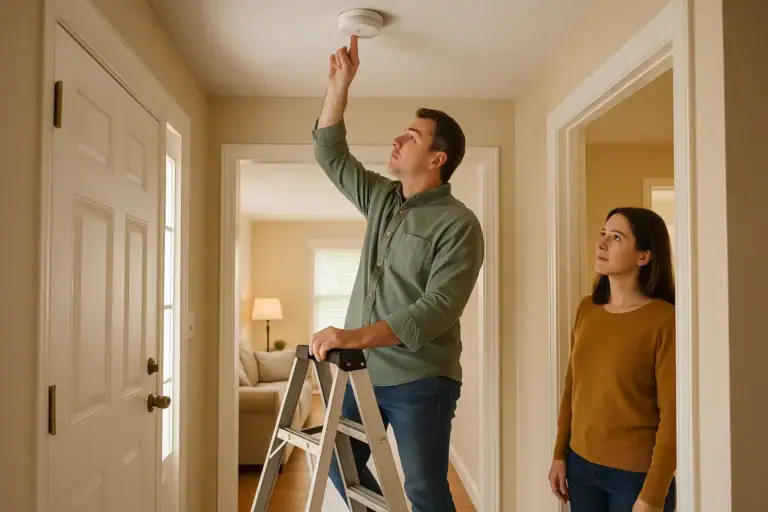 How to Test a Smoke Alarm Safely: Simple Checklist
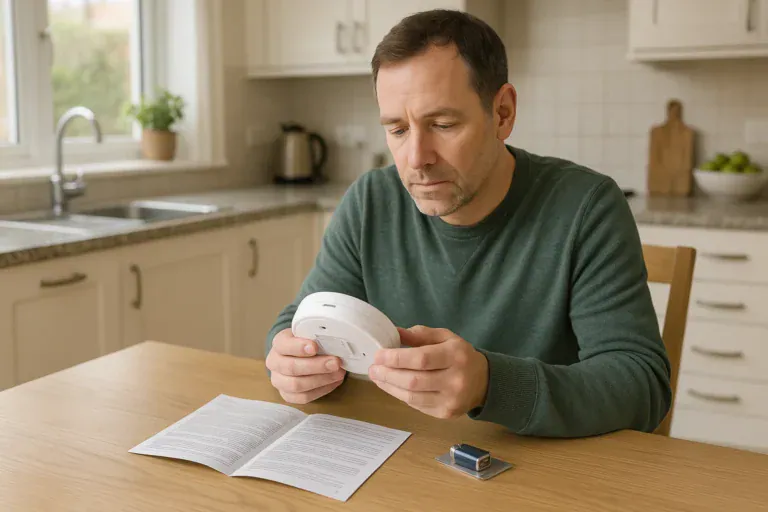 How to Replace a Smoke Alarm Battery Safely
 How to Install a Smart Thermostat Safely