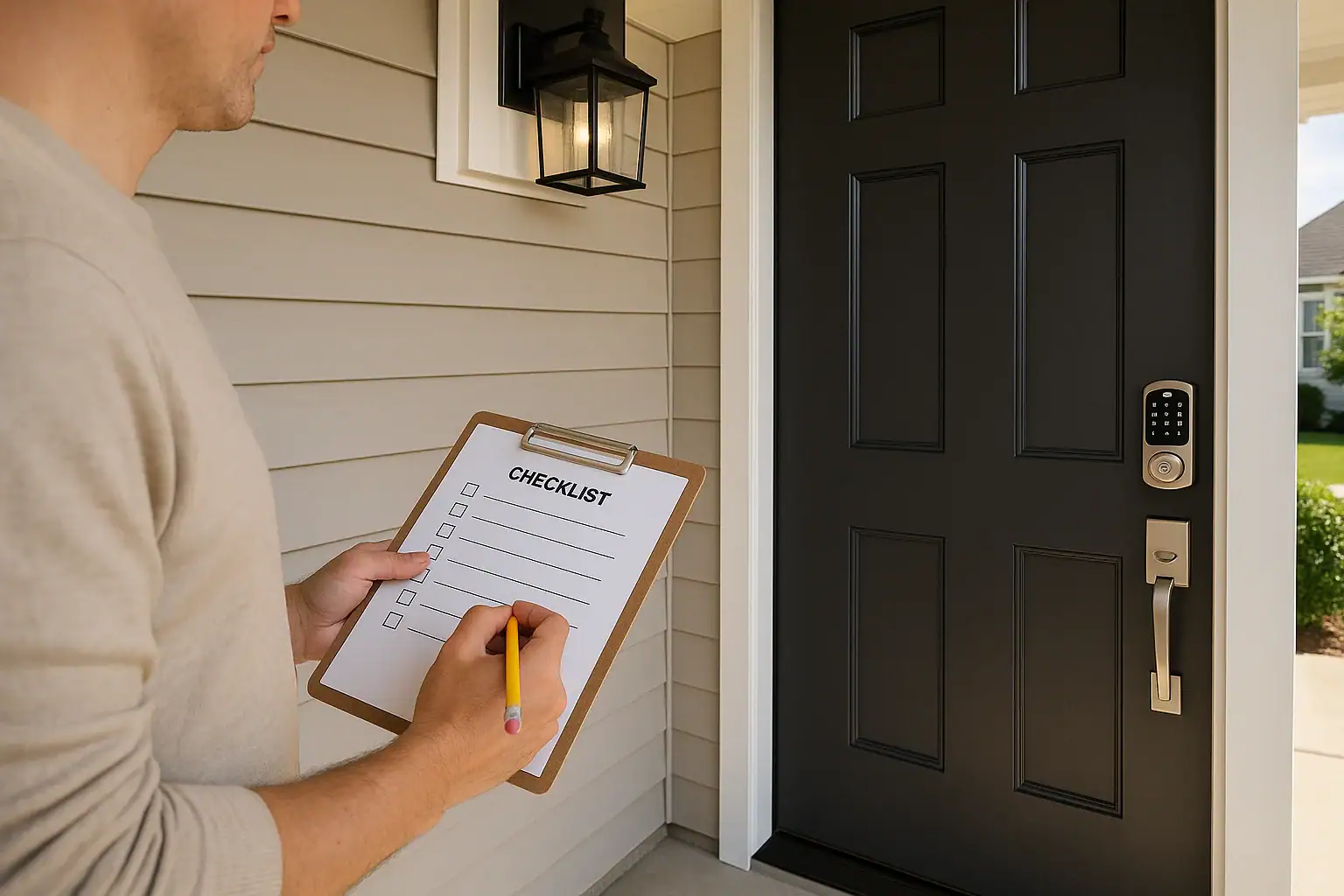
Smart locks can make daily life easier, but they also become a critical part of your home's security. Before you install one, it is worth slowing down and walking through a safety checklist. A little preparation helps you avoid weak spots in your doors, gaps in your Wi‑Fi security, and mistakes in the way you share access with family, guests, or service providers. This guide walks you through what to review before you buy, before you install, and right after setup so your smart lock improves convenience without creating new risks.
On this page(click to collapse)
- 1. Understand What a Smart Lock Can and Cannot Do
- 2. Check the Condition of Your Door and Frame
- 3. Evaluate Your Existing Lock Setup
- 4. Confirm Door Compatibility With a Smart Lock
- 5. Review Your Home Wi‑Fi and Network Security
- 6. Plan Your Power and Backup Options
- 7. Decide Who Needs Access and How
- 8. Prepare Your Smartphone and Accounts
- 9. Install With Physical Security in Mind
- 10. Configure Security Settings Right After Setup
- 11. Set Up Safe Sharing and Temporary Access
- 12. Create a Maintenance and Review Routine
- 13. Combine Your Smart Lock With Other Safety Measures
- 14. Final Pre‑Installation Checklist
- Related guides
1. Understand What a Smart Lock Can and Cannot Do
Before you focus on hardware and settings, get clear about what a smart lock actually does. It controls how the latch or deadbolt moves, but the overall strength of your door, frame, and habits still matter.
Key points to keep in mind
- A smart lock does not automatically make a weak door strong.
- The lock is only one part of your home security system, along with lighting, cameras, and alarms.
- Remote access is convenient, but it adds responsibility for managing digital security.
- Battery power and backup options matter during outages.
Use the rest of this checklist to decide whether your home is ready and what you may want to upgrade before installation.
2. Check the Condition of Your Door and Frame
Even the best lock cannot compensate for a weak door or frame. Start with a physical inspection before you think about apps or settings.
Door and frame inspection checklist
- Door material: Confirm that your door is solid wood, fiberglass, or metal, not a flimsy hollow-core interior door.
- Warping or damage: Look for cracks, warping, or soft spots around the lock and hinges.
- Frame strength: Inspect the strike side of the frame where the deadbolt enters. It should be solid, not splintered.
- Weather exposure: If your door is fully exposed to rain, sun, or extreme temperatures, note that you may need weather‑resistant hardware and a covered installation.
If your door or frame is in poor condition, plan to repair or reinforce it before installing a smart lock. Otherwise, you might be upgrading the wrong part of the system.
3. Evaluate Your Existing Lock Setup
Next, look at what you already have on the door. This will influence which type of smart lock you can use and how secure the final setup will be.
Existing hardware checklist
- Deadbolt vs. knob lock: Exterior doors should use a deadbolt, not just a locking doorknob. If you only have a knob lock, consider adding a deadbolt first.
- Backset and bore size: Measure the distance from the edge of the door to the center of the lock hole (backset) and the diameter of the hole (bore). Many smart locks are designed for common sizes, but not all.
- Strike plate: Check whether your existing strike plate is reinforced and secured with long screws that reach into the wall stud.
- Hinge screws: On the hinge side, confirm that at least some screws are long enough to reach the framing, not just the door jamb.
Write down your measurements and observations. They will help you choose a compatible smart lock and identify any reinforcement you should do at the same time.
4. Confirm Door Compatibility With a Smart Lock
Not every smart lock works with every door. Before you buy or install, compare your door details with the requirements listed for the lock you plan to use.
Compatibility questions to answer
- Is your door thickness within the supported range, usually around 1 3/8 to 2 inches?
- Does the lock require a separate deadbolt, or does it replace the entire handle set?
- Will the interior unit clear nearby trim, windows, or screen doors when it turns?
- Does your door swing direction (inward or outward) affect installation?
- Is there enough room on the interior side for the smart lock's housing and batteries?
If you are unsure, take clear photos and measurements of your door and compare them to the product documentation or installation guide before committing.
5. Review Your Home Wi‑Fi and Network Security
Many smart locks connect through your home Wi‑Fi or a hub. That means your network security becomes part of your front door security.
Wi‑Fi and router checklist
- Strong Wi‑Fi password: Use a long, unique password for your Wi‑Fi network instead of a default or simple phrase.
- Updated router firmware: Log into your router and check for firmware updates. Apply any security updates before connecting new devices.
- Separate guest network: If possible, enable a guest or separate network for visitors so you do not share your main Wi‑Fi password widely.
- Network name (SSID): Avoid using your full name, address, or other personal details in your network name.
- Signal strength at the door: Stand near the door and check your signal. Weak Wi‑Fi can cause connection issues or delays.
Some smart locks use other wireless technologies or a hub. In that case, confirm that your hub is updated, protected with a strong password, and placed where it can reliably communicate with the lock.
6. Plan Your Power and Backup Options
Smart locks rely on power, usually from batteries. Think through how you will handle low power warnings, outages, and backup entry.
Power safety checklist
- Battery type and life: Check what batteries your lock uses and the typical lifespan under normal use.
- Low‑battery alerts: Confirm how you will receive low‑battery alerts, such as through the app, lock beeps, or indicator lights.
- Backup key or method: Make sure there is a reliable backup, such as a physical key, keypad, or alternative entry door.
- Spare batteries: Store fresh spare batteries in an accessible indoor location, not locked behind the smart lock itself.
- Power outage plan: If your lock ties into other powered devices, consider how it behaves during an outage.
Knowing exactly how you will get in if the lock loses power prevents lockouts and stress later on.
7. Decide Who Needs Access and How
One of the biggest advantages of a smart lock is flexible access. Before installation, decide who should have permanent access, who should have temporary access, and which methods they will use.
Access planning checklist
- Household members: List everyone who lives in your home and how they prefer to unlock the door (phone, code, key).
- Children and teens: Consider whether they are responsible enough for phone‑based access or if a simple code is better.
- Guests and visitors: Plan how you will handle visiting family, friends, and short‑term guests.
- Service providers: Decide whether you will issue temporary codes for cleaners, pet sitters, or maintenance workers.
- Emergency contacts: Choose a trusted neighbor or nearby contact who can have backup access if needed.
Having a clear access plan ahead of time makes setup smoother and keeps you from handing out codes or digital keys without a system.
8. Prepare Your Smartphone and Accounts
Most smart locks rely on a mobile app and an online account. Make sure your phone and account habits support good security practices.
Phone and account security checklist
- Screen lock enabled: Use a PIN, fingerprint, or face unlock on your phone so someone cannot easily access your lock app.
- Unique account password: Create a strong, unique password for the lock app account and avoid reusing passwords from other services.
- Two‑factor authentication: If the service offers it, turn on two‑factor authentication for your account.
- App permissions: Review the app's permissions on your phone and disable anything that seems unnecessary.
- Lost phone plan: Decide how you will revoke access or log out if your phone is lost or stolen.
Good digital hygiene on your phone is just as important as sturdy hardware on your door when you use a smart lock.
9. Install With Physical Security in Mind
When you are ready to install, treat it as an opportunity to strengthen the entire entry, not just swap the lock mechanism.
Installation safety checklist
- Follow the instructions: Read the full installation guide before starting, and keep it nearby while you work.
- Use reinforced hardware: Upgrade to heavy‑duty strike plates and long screws that reach into wall studs.
- Avoid over‑drilling: Do not enlarge holes more than necessary; loose hardware can weaken the lock.
- Test manual operation: Before you connect the smart features, test the lock manually to ensure it turns smoothly.
- Protect wiring: If your lock uses any wiring, route it neatly and avoid pinching or crimping cables.
Take your time during installation. A careful, precise fit helps the smart lock operate smoothly and reduces wear on the motor and latch.
10. Configure Security Settings Right After Setup
Once the lock is physically installed, your next step is to configure the digital settings. This is where you can either strengthen or weaken your security.
Initial configuration checklist
- Change default codes: Immediately delete or change any default codes or access credentials.
- Create individual codes: Assign unique codes to each person rather than sharing one code for everyone.
- Enable activity logs: If available, turn on logging so you can see when the door was locked or unlocked.
- Review auto‑lock settings: Decide whether you want the door to auto‑lock after a certain time and set a delay that fits your routine.
- Check remote access: Verify that you can lock and unlock the door remotely, and confirm that notifications work correctly.
Spend a few minutes exploring the app menus so you understand all available options, including alerts, schedules, and integration with other devices.
11. Set Up Safe Sharing and Temporary Access
Smart locks make it easy to share access, but that convenience can also create confusion if you do not have rules in place.
Safe sharing checklist
- Use temporary codes for short‑term guests: Create time‑limited codes that expire automatically when visitors leave.
- Avoid sharing your main account: Do not give out your primary login to anyone who does not absolutely need it.
- Label codes clearly: Name each code in the app so you know who it belongs to.
- Revoke access promptly: When a guest, roommate, or service provider no longer needs access, remove their code or digital key.
- Communicate expectations: Let household members know not to share codes casually with friends or acquaintances.
Thoughtful sharing practices help you enjoy the flexibility of a smart lock without losing track of who can get in.
12. Create a Maintenance and Review Routine
Smart locks are not a set‑and‑forget device. A simple maintenance routine keeps them working smoothly and safely.
Ongoing maintenance checklist
- Monthly: Test the lock manually and through the app. Confirm that auto‑lock, alerts, and activity logs still work.
- Every few months: Check battery level, clean the keypad or touch area, and inspect the door alignment.
- After major updates: When the app or firmware updates, review your settings to ensure nothing changed unexpectedly.
- When people move out: Remove their codes or digital keys immediately.
- Annually: Review your access list, Wi‑Fi security, and backup plans to see if anything needs an update.
A short, regular checkup prevents small issues from turning into lockouts or security gaps.
13. Combine Your Smart Lock With Other Safety Measures
A smart lock works best as part of a broader home safety plan. Consider how it fits with the rest of your setup.
Additional safety ideas
- Use outdoor lighting or motion‑activated lights near entry doors.
- Add a peephole or door viewer so you can see who is outside before unlocking.
- Consider door and window sensors that alert you if a door is opened unexpectedly.
- Review your emergency exit plan so smart features do not slow you down in an urgent situation.
- Teach all household members how to lock and unlock the door manually in case of app or power issues.
Smart technology is one layer of protection. The way you light, monitor, and use your home matters just as much.
14. Final Pre‑Installation Checklist
Before you move ahead with installation, run through this quick summary checklist to confirm you are ready.
Quick yes/no checklist
- Is your door and frame solid, with no major damage?
- Have you measured your existing lock holes and door thickness?
- Is your Wi‑Fi secured with a strong password and updated router?
- Do you have a clear plan for power, batteries, and backup entry?
- Have you decided who gets permanent, temporary, and emergency access?
- Is your phone protected with a screen lock and strong account passwords?
- Are you prepared to update default codes and settings immediately after installation?
If you can confidently answer yes to these questions, you are in a strong position to install a smart lock that adds convenience without sacrificing safety. For more ways to strengthen your home, explore additional smart home and safety guides at Signature Home Guide.
Related posts
Browse this topic →
Water Heater Leak Pan and Alarm Setup Checklist for a Safer Home
Smart Lock Battery Dead? How to Create a Reliable Backup Access Plan
Password Manager Basics for Families at Home: A Simple Guide
How to Set Up a Secure Home WiFi Guest Network for Smart Devices
Garage Door Sensor Safety Testing Checklist for a Safer Home
Motion Sensor Light Placement for Driveway and Side Yard: A Practical Checklist
Keep reading
About this site
Signature Home Guide publishes practical, independent home guides. We aim to be clear, helpful, and transparent.
Affiliate disclosure
As an Amazon Associate, we earn from qualifying purchases. Some links on this site may be affiliate links. If you buy through these links, we may earn a small commission at no extra cost to you. This helps support our content. Learn more.