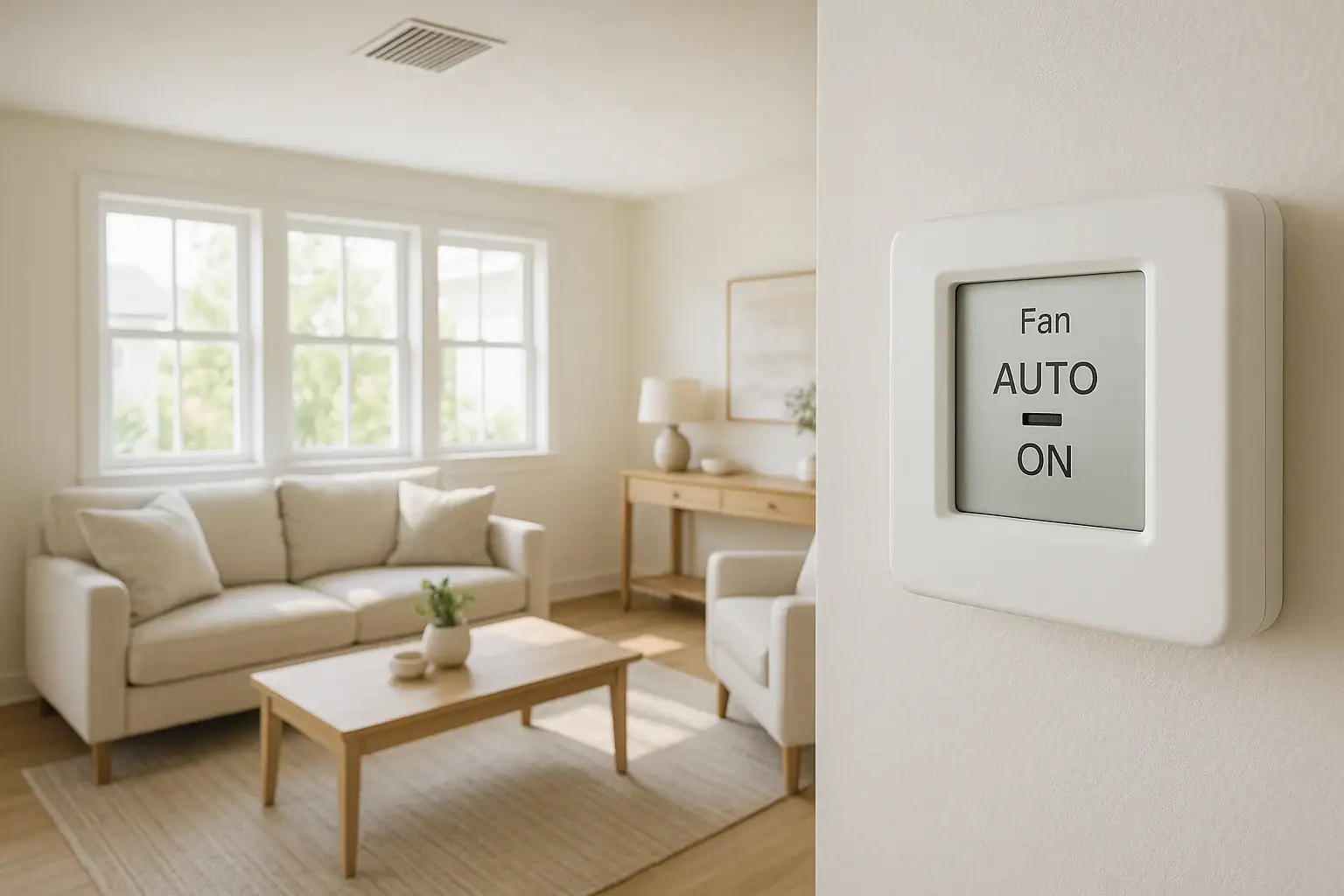
Choosing between the Auto and On fan settings on your thermostat seems simple, but it affects your comfort, indoor air quality, and energy bills more than many people realize. If you struggle with uneven temperatures, stuffy rooms, or too much dust, understanding how these fan modes work can help you fine-tune your home for cleaner, more comfortable air.
This guide explains the difference between Auto and On, how each setting affects comfort and dust, and how to choose the right option for your home and climate. You will also learn practical tips to reduce dust, improve air circulation, and protect your heating and cooling system.
What Do Auto and On Mean on a Thermostat?
Most central heating and cooling systems in US homes have at least two basic fan settings on the thermostat: Auto and On. These settings control how the blower fan moves air through your ductwork and rooms.
Fan on Auto
When the fan is set to Auto:
- The fan only runs when the heating or cooling system is actively running.
- Once your home reaches the set temperature, both the system and the fan shut off.
- Air circulation happens in cycles instead of continuously.
This is the default setting in many homes because it usually uses less electricity and puts less wear on the blower motor.
Fan set to On
When the fan is set to On:
- The fan runs continuously, even when the heating or cooling system is not actively heating or cooling.
- Air keeps moving through your ducts and vents all day.
- Temperature and air quality are more consistent from room to room.
This setting can improve comfort and filtration, but it also uses more electricity and can change how dust behaves in your home.
Comfort Comparison: Auto vs On
Comfort is more than just the number on the thermostat. It also includes how even temperatures feel across your home, how quickly hot or cold spots disappear, and whether the air feels fresh or stuffy.
Comfort with Fan on Auto
With the fan on Auto, comfort tends to feel more “on and off” because air circulation only happens while the system is running.
Typical comfort experience with Auto:
- Temperature swings: Rooms may feel cooler or warmer right after a heating or cooling cycle, then gradually drift away from your set point until the next cycle starts.
- Hot and cold spots: Farther rooms or upper floors may not get as much air movement, leading to uneven temperatures.
- Quieter operation: The fan is off part of the time, so the home may feel quieter overall.
This setting can still provide good comfort, especially in smaller homes or homes with well-designed ductwork and good insulation.
Comfort with Fan set to On
With the fan set to On, air moves constantly, which can smooth out temperature differences throughout the home.
Typical comfort experience with On:
- More even temperatures: Continuous circulation helps blend hot and cold air, reducing hot and cold spots between floors and rooms.
- Less stuffy feeling: Constant movement can make the air feel fresher and more comfortable, especially in closed-off rooms.
- Gentler temperature changes: Instead of sharp swings, you may notice more gradual shifts in how warm or cool the air feels.
However, you may also notice more background fan noise and a gentle draft from vents because the system never fully rests.
Dust and Air Quality: Does Auto or On Create More Dust?
Dust is a common concern, especially for people with allergies or respiratory issues. The fan setting you choose affects where dust settles and how much gets trapped by your filter.
How Dust Behaves in Your Home
Dust is made of tiny particles such as skin cells, fabric fibers, pollen, pet dander, and dirt tracked in from outside. These particles either:
- Float in the air
- Get pulled into the return vents and caught by the filter
- Settle on surfaces like furniture, floors, and vents
Your fan setting changes how quickly dust circulates and how much your filter can capture.
Dust with Fan on Auto
On Auto, the fan runs only during heating or cooling cycles, so the air is filtered in short bursts.
What this means for dust:
- Less air movement overall: Dust may settle more on surfaces because the air is not constantly moving.
- Slower filtration: Since the fan runs less often, fewer dust particles pass through the filter each day.
- Less visible dust at vents: Because air is not moving all the time, you may see less dust buildup around supply vents, even if dust is still settling on furniture.
Auto can be a good choice if you are mainly concerned about energy use and do not have severe dust or allergy problems.
Dust with Fan set to On
With the fan set to On, air is always circulating through your ducts and filter. This changes how dust is distributed.
What this means for dust:
- More constant filtration: Dust and allergens have more chances to pass through the filter, which can reduce airborne particles if you use a quality filter and change it regularly.
- More visible dust at vents: Because air is always moving, dust can collect more quickly on vent covers and around registers, making it look like there is more dust even if more is being captured by the filter.
- Possible duct dust issues: If your ducts are dirty or leaky, running the fan constantly can stir up and redistribute that dust into your living spaces.
In a clean, well-sealed system with a good filter, running the fan On can help reduce airborne dust and improve comfort. In a dirty or leaky system, it can make dust problems more noticeable.
Energy Use and Costs: Auto vs On
Beyond comfort and dust, your fan setting affects how much electricity your system uses and how often components wear out.
Energy impact of Auto
- Lower fan run time: The fan only runs during heating or cooling cycles, so it uses less electricity overall.
- Less wear on the blower motor: Fewer hours of operation can extend the life of the fan motor and related parts.
- Potential for slightly less humidity control in summer: In some homes, turning off the fan between cooling cycles helps moisture drain away instead of being re-evaporated into the air.
Energy impact of On
- Higher electricity use: The fan runs 24/7, so your electric bill will usually be higher than with Auto.
- More wear on the blower motor: Continuous operation adds hours to the motor, which may shorten its lifespan if the system is older or not designed for constant duty.
- Possible humidity changes: In humid climates, running the fan constantly can sometimes push moisture back into the air after a cooling cycle, making the home feel less dry.
If you are trying to keep energy costs down, Auto is usually the better starting point. If comfort and filtration are more important to you than the added electrical cost, On may still be worth considering.
Which Fan Setting Is Better for Comfort and Less Dust?
There is no single answer that works for every home. The best choice depends on your priorities, climate, and how your system is set up.
When Auto is usually the better choice
Auto may be best if you:
- Want to minimize electricity costs
- Have a smaller home or one level where temperatures are already fairly even
- Do not notice major dust or allergy issues
- Have an older system or are concerned about fan wear
With Auto, you can still improve comfort and dust control by sealing air leaks, using a good filter, and maintaining your system.
When On is usually the better choice
On may be best if you:
- Struggle with hot and cold spots between rooms or floors
- Have family members with allergies or breathing issues and use a quality filter
- Want more consistent air circulation and less stuffy air
- Are willing to pay more for electricity in exchange for more even comfort
For many homes, a hybrid approach works well: use On during certain times and Auto during others.
A practical compromise
Consider these practical strategies:
- Use On during peak allergy season: Run the fan continuously when pollen or dust counts are high, then switch back to Auto later.
- Run On during the day, Auto at night: Enjoy even comfort when you are active and awake, then reduce fan run time while you sleep.
- Use On after cleaning or vacuuming: Run the fan On for a few hours to help the filter capture disturbed dust.
Tips to Reduce Dust and Improve Comfort with Either Setting
Whether you choose Auto or On, a few simple habits can greatly improve comfort and reduce dust in your home.
1. Use the right air filter and change it regularly
- Choose a filter with a rating appropriate for your system and your air quality needs.
- Check the filter monthly and replace it as recommended, or more often if you have pets or allergies.
- Mark filter changes on a calendar or set reminders so they are not forgotten.
2. Seal air leaks and ducts
- Seal gaps around windows, doors, and attic access points to keep dust and outdoor air from entering.
- Have ducts inspected for leaks, especially in attics, basements, or crawl spaces where dust and insulation particles can be pulled in.
- Seal duct joints and connections where needed to reduce dust and improve efficiency.
3. Keep vents and returns clean and unblocked
- Vacuum vent covers and return grilles regularly to remove dust buildup.
- Keep furniture, curtains, and rugs from blocking vents so air can move freely.
- Check that each room has at least one supply vent open to help balance air flow.
4. Control indoor humidity
- Use exhaust fans in bathrooms and kitchens to remove moisture and particles.
- In humid climates, consider a dehumidifier to keep indoor humidity in a comfortable range.
- In dry climates, use a humidifier carefully and clean it often to avoid adding minerals and particles to the air.
5. Clean in ways that reduce airborne dust
- Dust with a damp cloth or microfiber cloth instead of a dry feather duster.
- Vacuum with a machine that has good filtration, and empty or replace bags outdoors when possible.
- Wash bedding, curtains, and washable rugs regularly to remove settled dust and dander.
Seasonal Considerations: Adjusting Fan Settings Through the Year
Your best fan setting may change with the seasons, especially in areas with hot summers and cold winters.
Summer cooling season
In summer, comfort and humidity control are both important.
- Try Auto first: This often provides good comfort while allowing moisture to drain away between cooling cycles.
- Switch to On if you have hot rooms: If some rooms stay warmer, try On during the hottest parts of the day to even out temperatures.
- Watch for clammy air: If the air feels sticky when using On, switch back to Auto and see if comfort improves.
Winter heating season
In winter, warm air tends to rise and collect near ceilings, leaving lower levels cooler.
- Use On to reduce stratification: Running the fan On can help move warm air from ceilings and upper floors down to cooler areas.
- Consider Auto overnight: If the constant fan noise bothers you at night, use Auto while sleeping.
- Check for drafts: If moving air makes drafts more noticeable, seal leaks around windows and doors.
Spring and fall
During mild weather, your system may not run as often, which can lead to stale air.
- Use On for fresh-feeling air: Continuous circulation can help the home feel less stuffy when heating or cooling is not running much.
- Take advantage of natural ventilation: When outdoor air quality is good, open windows briefly to refresh indoor air, then use the fan to distribute it.
How to Decide: A Simple Step-by-Step Approach
If you are still unsure whether Auto or On is right for you, try this simple process.
Step 1: Start with Auto
- Set the fan to Auto and choose a comfortable temperature.
- Use this setting for at least several days in typical weather.
- Pay attention to hot and cold spots, dust levels, and how the air feels.
Step 2: Switch to On for a test period
- Change the fan setting to On and keep the same temperature setting.
- Run this way for several days.
- Notice whether temperatures feel more even and whether dust in the air or on surfaces changes.
Step 3: Compare and adjust
- If comfort is clearly better with On and dust is manageable, you may choose to keep it that way.
- If energy use or noise is a concern, use On only during certain times of day or certain seasons.
- If you see more dust with On, consider improving filtration or having ducts inspected.
Key Takeaways: Thermostat Fan Auto vs On
- Auto: Fan runs only during heating or cooling cycles. This usually lowers energy use and equipment wear but may allow more temperature swings and slower filtration.
- On: Fan runs continuously. This can improve comfort and air mixing, and help filters capture more airborne dust, but may increase energy costs and show more dust on vents.
- Comfort and dust control depend on more than the fan setting. Filter quality, duct condition, air leaks, and cleaning habits all play important roles.
- A hybrid approach often works best: use Auto most of the time and switch to On when you need extra comfort or filtration.
By understanding how Auto and On affect comfort, dust, and energy use, you can choose the settings and habits that keep your home feeling cleaner, more consistent, and more comfortable throughout the year.
 Radiator Heat Balancing Tips for Older Homes: A Practical Guide
 Thermostat Reads the Wrong Temperature: Simple Fixes
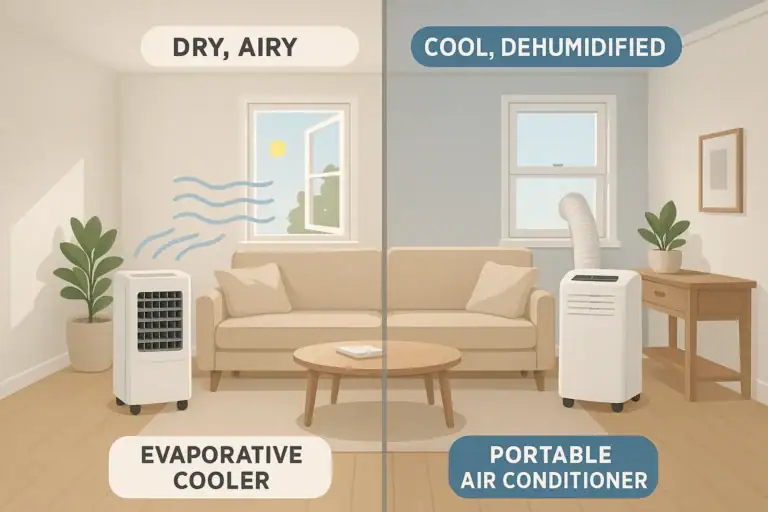 Evaporative Cooler vs Portable AC for Home Comfort: Which Is Better?