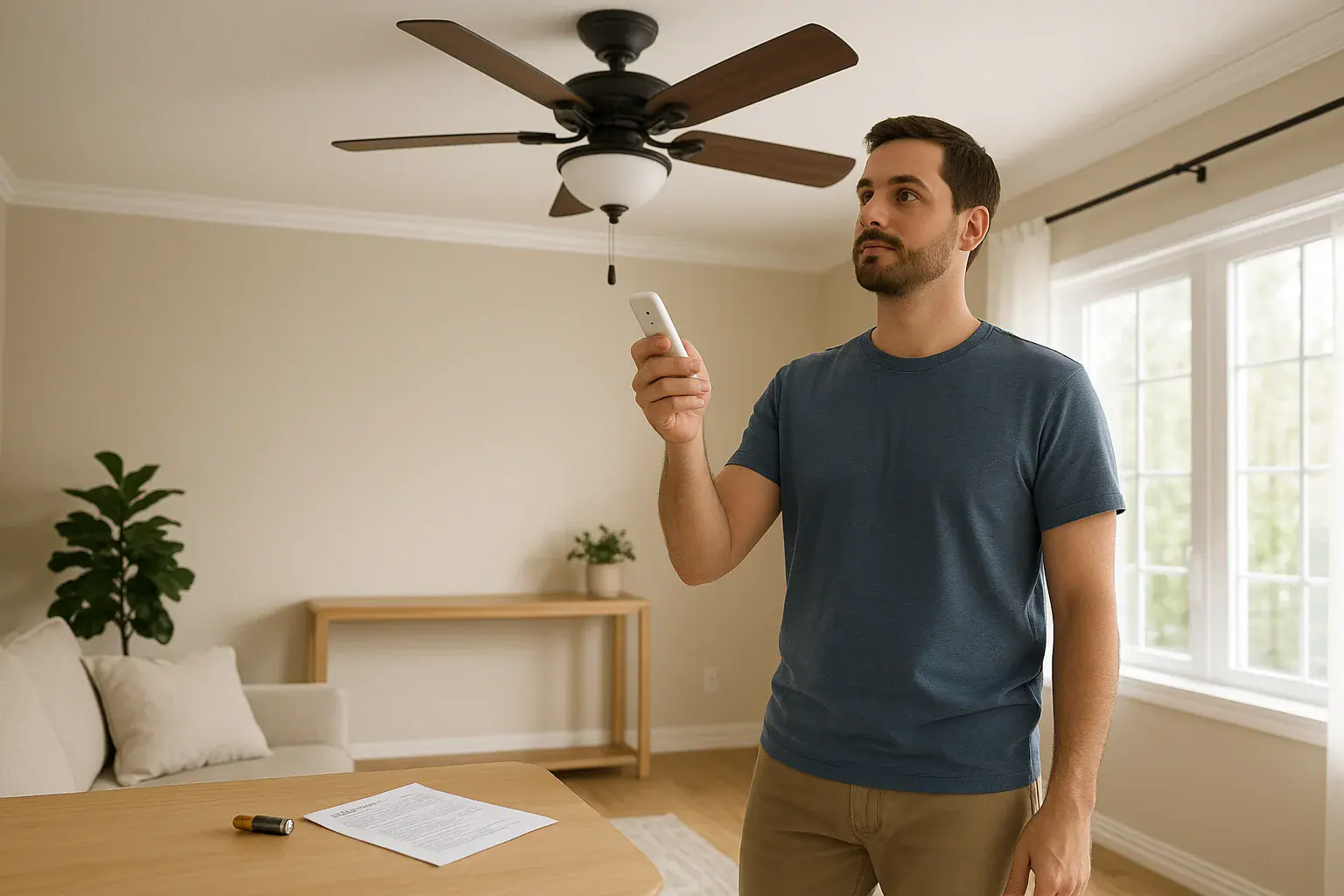
Quick answer: If your ceiling fan remote is not working, stop if you notice heat, a burning smell, sparks, discoloration, buzzing, or abnormal movement. Otherwise, confirm the wall switch is on, install the specified fresh battery correctly, check any required pull-chain setting, and use only your model’s pairing instructions.
Ceiling fan remote not working? Follow this safe order
Start with checks that do not require opening the fan canopy or touching wiring. You can inspect the handheld remote, use normal controls, and consult the correct manual while remaining on the floor.
Stop using the fan if you notice a burning odor, sparks, discoloration, persistent buzzing, heat at a switch or outlet, smoke, abnormal movement, or loose-looking mounting parts. The Electrical Safety Foundation International identifies buzzing, warm switches or outlets, discoloration, and a burning smell as signs that warrant inspection by a qualified electrician.
- Confirm the wall switch is on. A remote-controlled fan may still need its wall switch left in the operating position.
- Install the specified fresh battery. Use the type named inside the remote or in its manual. Match the polarity marks, and inspect accessible battery contacts for obvious dirt or moisture. Do not bridge a loose battery connection with foil or another object.
- Test the remote nearby. Try each function while standing safely on the floor. Follow any aiming or distance guidance in the manual; operating range is model-specific.
- Check available normal controls. Note whether a wall control, light switch, or pull chain operates the fan. Do not assume all pull-chain fans require the same setting when used with a remote.
- Identify the fan and remote models. Look for accessible labels, purchase records, or the manual. The fan and remote can have separate model numbers.
- Use only the matching pairing instructions. Pairing buttons, timing, and settings vary by product. Do not apply a sequence from an unrelated fan or remote.
Rule out battery and control issues first
Use the remote light as a clue, not a diagnosis
If the remote has an indicator and it stays dark, replace the battery before making conclusions about the remote. Check the battery type and polarity again. If the indicator lights, treat that as a clue only; it does not by itself confirm communication with the fan.
Keep the old and new batteries separate while testing so they are not mixed up. If the remote has no indicator, test its functions after installing the specified fresh battery.
Compare the remote with another available control
If a wall control or pull chain operates the fan but the remote does not, record that result and locate the manuals for the exact fan and remote. The next safe step is to check compatibility and the stated pairing procedure, not to assume that an internal receiver has failed.
Hunter’s troubleshooting guidance says that a pull-chain fan fitted with an accessory remote may need its pull-chain speed set to high. That advice applies only when it matches the fan’s documented control arrangement.
If no available control operates the light or fan, confirm the wall-switch position. If a breaker has tripped or trips again, leave the fan off and arrange for an electrician to assess the circuit.
When model-specific re-pairing makes sense
Consider re-pairing only after the basic battery and power checks, and only when the fan or remote documentation directs it. It can also be appropriate when setting up a documented compatible replacement remote or after a power interruption when the manual identifies that situation.
There is no universal reset sequence. Some remotes use a Learn button, while others use different controls or settings. For example, the Hampton Bay 99130 remote manual provides a timed Learn-button process after power is restored. That process is specific to that remote and should not be copied to an unidentified fan.
Some remotes have small switches inside the battery compartment, but many do not. Change a setting only when the correct manual explains it. Stop if following the procedure would require removing the canopy, accessing a receiver, testing voltage, or changing wiring.
Symptoms and the safest next step
| Symptom or observation | Safe next step |
|---|---|
| No remote indicator and no response | Install the exact specified fresh battery, confirm polarity, and inspect accessible battery contacts. |
| Remote indicator works, but the fan and light are unresponsive | Confirm the wall switch is on and note whether another supported control works. An indicator does not confirm communication with the fan. |
| Wall control or pull chain works, but the remote does not | Find the exact fan and remote manuals. Check documented compatibility, any required pull-chain position, and model-specific pairing instructions. |
| Remote works only nearby | Try the specified fresh battery and consult the model’s operating guidance. Do not rely on a universal range. |
| One remote function works but another does not | Record the working and failed functions, then use the model’s troubleshooting guidance. The symptom alone does not identify an internal failed part. |
| A breaker has tripped or trips again | Leave the fan off and arrange an electrical inspection. |
| Burning odor, heat, discoloration, sparks, or persistent buzzing | Stop using the fan and have a qualified electrician inspect the fan, controls, and circuit. |
| Abnormal movement or loose-looking mounting | Stop the fan, keep people clear, and check the exact model for recall information before pursuing remote troubleshooting. |
Check recall information before ordering parts
Search the U.S. Consumer Product Safety Commission recall records using the fan’s brand and model number. Follow the remedy for the exact product rather than applying a recall instruction from another fan.
For certain recalled Hampton Bay Mara ceiling fans, the CPSC directed owners to stop using the fan and identified blade movement, uneven gaps, and clip movement as signs for those recalled models. Those details are not a universal inspection test for every ceiling fan.
If your fan moves abnormally, stop remote testing and use our ceiling fan wobbling safety guide for separate, safety-focused next steps.
No-disassembly checklist
- Photograph the stationary fan and both sides of the remote from floor level.
- Record accessible fan and remote model numbers from labels, manuals, or purchase records.
- Write down which remote functions and alternate controls still work.
- Install the exact fresh battery specified for the remote and verify polarity.
- Confirm the wall switch is on and check any pull-chain setting required by the manual.
- Retrieve the matching fan or remote manual before attempting to pair the controls.
- Check CPSC recall information by brand and model before ordering replacement parts.
- Stop before removing the canopy, accessing a receiver, testing voltage, or changing wiring.
When to call an electrician
Contact a qualified electrician for recurring breaker trips, warm or discolored controls, burning odors, sparks, persistent electrical buzzing, or any work that requires canopy access, receiver replacement, or wiring changes. The Hampton Bay 99130 manual assigns electrical installation to a qualified licensed electrician.
For abnormal movement or loose-looking mounting, leave the fan off and contact the manufacturer for the model’s guidance. If the product is recalled, follow the CPSC or manufacturer remedy rather than attempting a repair that the recall does not authorize.
Find more practical household airflow guidance in our Air & Comfort guides.
 Ceiling Fan Wobbling: Safe Checks Before Balancing
 Why Your Baseboard Heater Smells Like Burning Dust
 Furnace Short Cycling: Safe Checks Before Calling Service