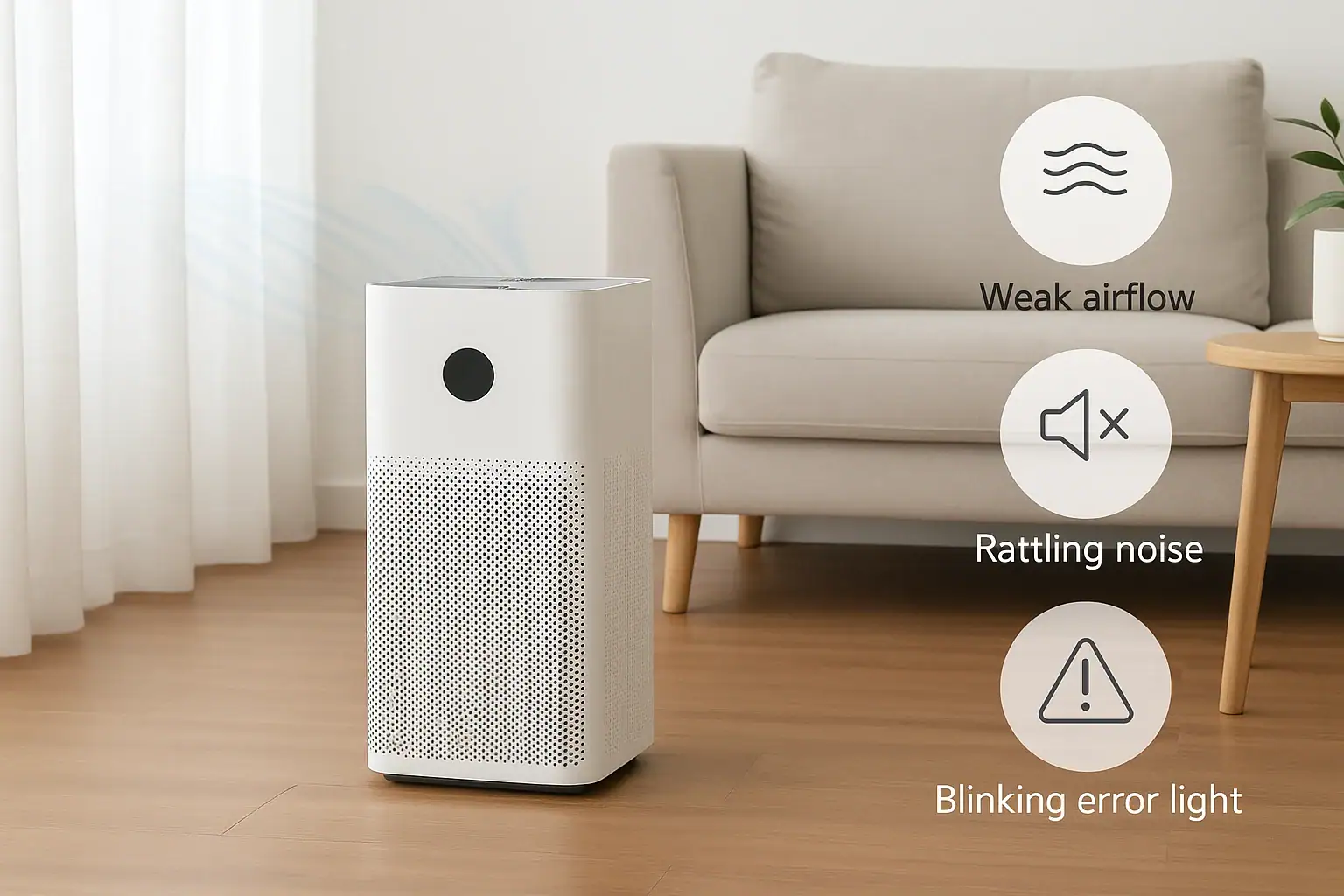
When an air purifier stops working the way it should, it can be frustrating and worrying. Maybe the airflow feels weak, the unit has started rattling, or the control panel is flashing error lights you do not recognize. Before you assume the purifier is ruined or needs professional repair, it is worth walking through a few simple troubleshooting steps. Many common issues are caused by clogged filters, incorrect setup, or minor mechanical problems that you can safely fix at home.
On this page(click to collapse)
- Before You Start: Safety and Basic Checks
- Weak Airflow: Why Your Air Purifier Feels Underpowered
- Rattling and Other Noises: Tracking Down the Source
- Error Lights and Blinking Indicators: What They Usually Mean
- Step-by-Step Troubleshooting Checklist
- Preventive Maintenance for Reliable Performance
- When to Repair, Replace, or Upgrade
- Related guides
This guide walks you through practical, step-by-step checks to restore performance and reduce noise, while keeping safety in mind. You will learn how to diagnose weak airflow, identify the source of rattling or buzzing sounds, and decode common error indicators. You will also find maintenance tips to prevent these problems from coming back. Use this as a quick reference any time your air purifier acts up, and you will often be able to get back to clean, comfortable air in just a few minutes.
Before You Start: Safety and Basic Checks
Any time you troubleshoot an air purifier, start with safety. These simple steps protect both you and the unit.
Safety first
- Unplug the purifier before opening panels, removing filters, or reaching inside.
- Dry hands only when handling the power cord, plug, or controls.
- Do not operate the unit with panels or filter doors removed.
- Stop immediately if you smell burning, see smoke, or feel excessive heat from the housing.
Quick setup checks
Before digging into specific problems, confirm the basics:
- Power source: Make sure the outlet works by testing another device.
- Plug connection: Confirm the plug is fully inserted and not loose.
- Placement: Keep at least 12–18 inches of clearance on all sides, especially the intake and outlet.
- Panels closed: Many units will not run if the filter door or front cover is not latched.
- Correct filters: Ensure the right type and size of filter is installed and oriented correctly.
Weak Airflow: Why Your Air Purifier Feels Underpowered
Weak airflow is one of the most common complaints. The purifier may be on, but the air coming out feels faint, or the room does not seem to improve. Several simple issues can cause this.
1. Check the fan speed and mode
It sounds obvious, but settings are easy to overlook.
- Make sure the purifier is not in sleep or quiet mode, which usually runs at the lowest fan speed.
- Cycle through fan speeds and confirm that airflow increases at higher levels.
- If the unit has an auto mode, it may slow down when it senses clean air. Switch to manual high speed to test airflow.
2. Inspect and clean pre-filters
Most purifiers include a reusable pre-filter to catch hair, lint, and larger dust before it reaches the main filter. When this clogs, airflow drops sharply.
- Unplug the unit and open the filter compartment.
- Locate the pre-filter (usually a mesh or foam layer on the outside of the main filter).
- Remove built-up debris by gently vacuuming with a soft brush attachment.
- If the pre-filter is washable, rinse it with lukewarm water, then allow it to dry completely before reinstalling.
Cleaning the pre-filter every few weeks in dusty homes can dramatically improve airflow and extend the life of the main filter.
3. Replace a clogged HEPA or main filter
As the main filter fills with fine dust, pollen, and smoke particles, it becomes harder for air to pass through. The fan may still run, but output drops.
- Check the recommended filter replacement interval (often every 6–12 months, more often in polluted or smoky environments).
- Visually inspect the filter. If it is dark gray, dusty, or has a musty odor, it is likely overdue for replacement.
- Do not try to wash a non-washable HEPA or carbon filter; this usually ruins its performance.
After installing a new filter, some purifiers require you to reset the filter indicator by holding a button for several seconds. If you skip this step, the unit may continue to show a filter warning or stay in a reduced-power mode.
4. Confirm correct filter orientation and sealing
If a filter is installed backward or not seated properly, air may bypass it or get blocked.
- Look for arrows or text on the filter showing the correct airflow direction.
- Ensure gaskets or foam seals are aligned and not folded or pinched.
- Check that the filter frame is fully inserted and the panel closes without forcing.
5. Check for blocked vents and poor placement
Even a powerful purifier will feel weak if air cannot move freely.
- Keep the intake and outlet clear of walls, curtains, furniture, and bedding.
- Avoid placing the unit in a tight corner or under a low shelf.
- Do not cover the top or sides with clothes, toys, or decorative items.
6. Listen for a struggling fan motor
If airflow is weak even with clean filters and clear vents, the fan motor may be struggling.
- Listen for whining, grinding, or pulsing sounds when the fan is on high.
- If the fan speed fluctuates on its own or stops and starts, there may be an electrical or motor issue.
- In this case, it is safer to stop using the unit and contact a qualified technician or the manufacturer support team.
Rattling and Other Noises: Tracking Down the Source
A sudden rattle, buzz, or vibration from an air purifier is usually a sign that something is loose, misaligned, or obstructed. Addressing noise early can prevent further damage.
1. Check for loose panels and accessories
Vibration can make even a small gap or loose part sound loud.
- With the unit unplugged, gently press on all sides, the top, and the back panel.
- Make sure the filter door and any latches or clips are fully engaged.
- Remove any objects resting on top of the purifier, such as remotes or decor.
2. Re-seat filters and internal components
Filters that are slightly out of place can vibrate against the housing.
- Unplug and open the unit.
- Remove each filter one at a time and inspect for damage or warping.
- Reinstall carefully, making sure each filter sits flat and snug in its frame.
- Close the panel firmly and test the unit again.
3. Inspect the fan for obstructions
Debris or a misaligned part near the fan blades can cause rattling or scraping.
- With the purifier unplugged, look through the intake or outlet for dust clumps, bits of filter, or foreign objects.
- If you can access the fan safely, check that nothing is touching the blades.
- Never force the fan blades or bend them; gentle cleaning with a soft brush or compressed air is best.
4. Level and stabilize the unit
A purifier sitting on an uneven or hollow surface can transfer vibration into a loud rattle.
- Place the unit on a solid, level surface such as hardwood, tile, or a sturdy table.
- Avoid thin, wobbly furniture or surfaces that flex.
- If the purifier has feet or casters, make sure they all touch the floor evenly.
- You can reduce vibration by placing a thin rubber mat or felt pads under the base.
5. Distinguish normal sounds from problem noises
Some sounds are normal, especially at higher fan speeds, but others signal trouble.
- Normal: steady airflow, a soft hum, brief clicks when changing modes, or short beeps from controls.
- Concerning: loud rattling, metallic scraping, grinding, or a high-pitched squeal.
- Intermittent buzzing may indicate an electrical or component issue and should not be ignored.
If you hear harsh or escalating noises even after checking for loose parts and obstructions, stop using the purifier and seek professional help.
Error Lights and Blinking Indicators: What They Usually Mean
Modern air purifiers use indicator lights to communicate problems or maintenance needs. While each model is different, many error lights fall into a few common categories.
1. Filter replacement or reset light
The most common warning is a light or icon indicating it is time to replace or clean filters.
- If the filter light stays on after you change the filter, you likely need to reset the indicator.
- Look for a button labeled filter, reset, or a combination such as holding the power and fan buttons together for several seconds.
- Reset procedures vary, so check the user manual or the manufacturer website for your specific model.
2. Air quality sensor or auto mode error
Some purifiers have sensors that measure particles or odors. If a sensor malfunctions, you may see a blinking light or error icon.
- Try cleaning the sensor area gently with a dry cotton swab or soft brush.
- Avoid spraying cleaners or water directly into sensor openings.
- If the error persists, you can often still use the purifier in manual fan mode while you seek support.
3. Overheating or internal fault warning
A red or rapidly blinking light may indicate overheating or an internal fault.
- Turn the unit off and unplug it immediately.
- Allow it to cool for at least 30 minutes.
- Check for blocked vents, dirty filters, or anything that could restrict airflow.
- If the warning returns quickly after restarting, discontinue use and contact a service professional.
4. Power or control panel glitches
Occasionally, the control system can freeze or misread sensor data, causing lights to flash in unusual patterns.
- Unplug the purifier from the wall.
- Wait at least 60 seconds to allow internal electronics to fully power down.
- Plug it back in and turn it on.
- Re-select your desired mode and fan speed.
If the lights still behave strangely after a power cycle and filter check, note the pattern of blinking and consult the manual or support site. Many manufacturers list specific blink codes and their meanings.
Step-by-Step Troubleshooting Checklist
Use this quick checklist when your air purifier has weak airflow, rattling, or error lights.
For weak airflow
- Confirm the unit is on a high fan speed, not in sleep mode.
- Clean or wash the pre-filter if applicable.
- Inspect and replace a dirty main filter.
- Verify the filter is installed correctly and fully seated.
- Move the purifier away from walls, curtains, or furniture blocking vents.
- Listen for signs of a struggling fan; stop use if you suspect motor issues.
For rattling or unusual noise
- Remove objects from the top of the unit and nearby surfaces.
- Check that all panels and latches are secure.
- Re-seat all filters and internal components.
- Inspect for debris near the fan blades.
- Place the unit on a stable, level surface with a vibration-dampening mat if needed.
- Stop using the purifier if you hear grinding, scraping, or electrical buzzing.
For error lights and blinking indicators
- Identify whether the light refers to filter replacement, sensor, or system error.
- Replace or clean filters, then perform the required filter reset sequence.
- Gently clean sensor openings if they appear dusty.
- Unplug the unit for 60 seconds to reset the control system.
- If a fault or overheating light returns, discontinue use and seek professional guidance.
Preventive Maintenance for Reliable Performance
Regular maintenance is the best way to avoid weak airflow, rattling, and confusing error lights. A few simple habits can keep your air purifier running smoothly and quietly.
1. Create a filter maintenance schedule
- Mark your calendar or set reminders for pre-filter cleaning every 2–4 weeks, depending on dust levels.
- Schedule main filter checks every 3 months and replacements based on the manufacturer’s recommended interval.
- In homes with pets, smokers, or heavy dust, expect to replace filters more often.
2. Keep the surrounding area clean
Dust and debris near the purifier can get pulled into the intake and clog filters faster.
- Vacuum or dust the floor and surfaces around the unit regularly.
- Avoid placing the purifier directly next to litter boxes, open windows on busy streets, or heavily used entryways.
3. Use appropriate room size and placement
Running a small purifier in a very large room can make it seem weak even when it is working correctly.
- Check the recommended room size for your unit and place it in a suitable space.
- Position it where air can circulate freely, such as near the center of a wall rather than in a tight corner.
4. Handle the unit gently
Rough handling can loosen internal parts and cause long-term noise or performance issues.
- Lift the purifier by its handles or base, not by the cord or control panel.
- Avoid dropping, tipping, or sliding it across rough surfaces.
When to Repair, Replace, or Upgrade
Even with careful troubleshooting, some problems indicate it may be time to repair or replace your air purifier.
Consider repair if:
- The unit is relatively new and still under warranty.
- The problem began after a power surge or minor incident.
- You hear unusual motor noise but there is no burning smell or visible damage.
Consider replacement or upgrade if:
- The purifier is many years old and parts are hard to find.
- It struggles to keep up with the size of your room, even at high speed.
- You repeatedly experience overheating, error lights, or fan failures.
- The cost of repair approaches or exceeds the cost of a new unit.
When choosing a new purifier, match its capacity to your room size, look for clear filter indicators, and review maintenance requirements so you know what to expect. For more guidance on air quality and comfort topics, you can explore related resources in the air and comfort hub at Signature Home Guide.
Recommended next:
Related posts
Browse this topic →
Radiator Heat Balancing Tips for Older Homes: A Practical Guide
Supply Vent vs Return Vent: How to Tell the Difference in Your Home
Static Electricity in Winter: Humidity Fixes and Home Troubleshooting Guide
Whole House Fan Ventilation Guide for Cool Evenings
HVAC Condensate Drain Line Maintenance Checklist for a Dry, Healthy Home
Evaporative Cooler vs Portable AC for Home Comfort: Which Is Better?
Keep reading
About this site
Signature Home Guide publishes practical, independent home guides. We aim to be clear, helpful, and transparent.
Affiliate disclosure
As an Amazon Associate, we earn from qualifying purchases. Some links on this site may be affiliate links. If you buy through these links, we may earn a small commission at no extra cost to you. This helps support our content. Learn more.